Marble Harness
A simple agent harness you run yourself — typically on an old laptop or a cheap VPS, reached over Tailscale. Keep private notes, secrets, and long-lived memory on machines you control.
Built for a machine you already own
Marble is closer to OpenClaw than to a hosted chatbot: the point is a durable loop on your hardware. Talk to it from a phone browser on the same tailnet. It remembers what you told it last week because that context lives in files on the box, not in someone else’s product.
Usual setup: one always-on laptop or VPS, Tailscale for access, optional local models so inference never leaves the house. No requirement for a public IP or a cloud GPU.
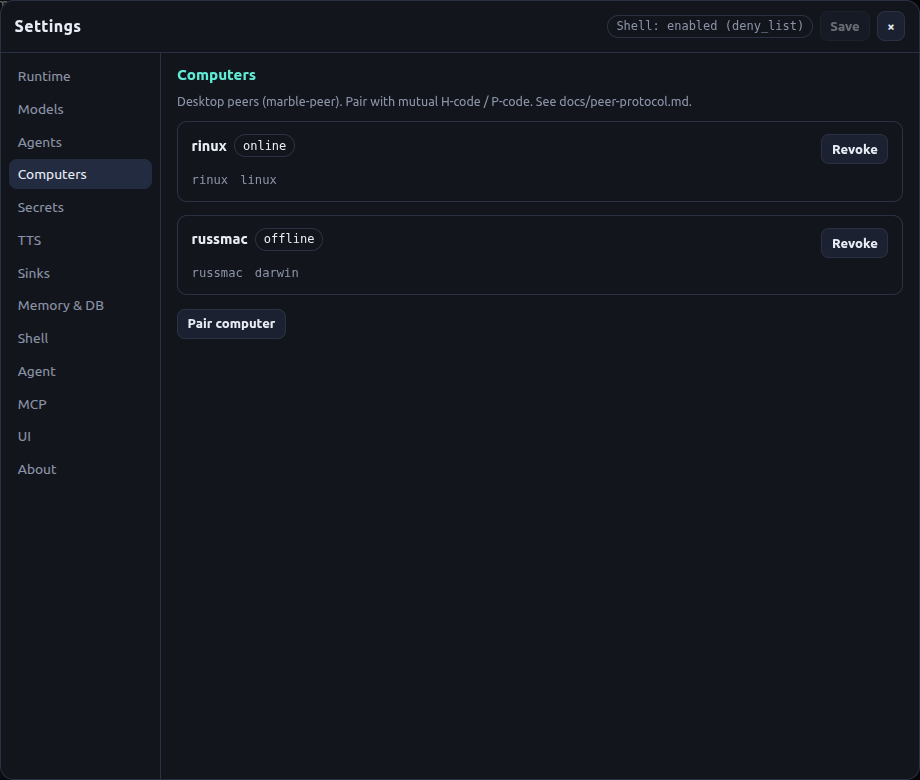
Desktop
Swipe sideways. Click a shot to expand. Source: github.com/rendicott/marble · marble-desktop-peer.
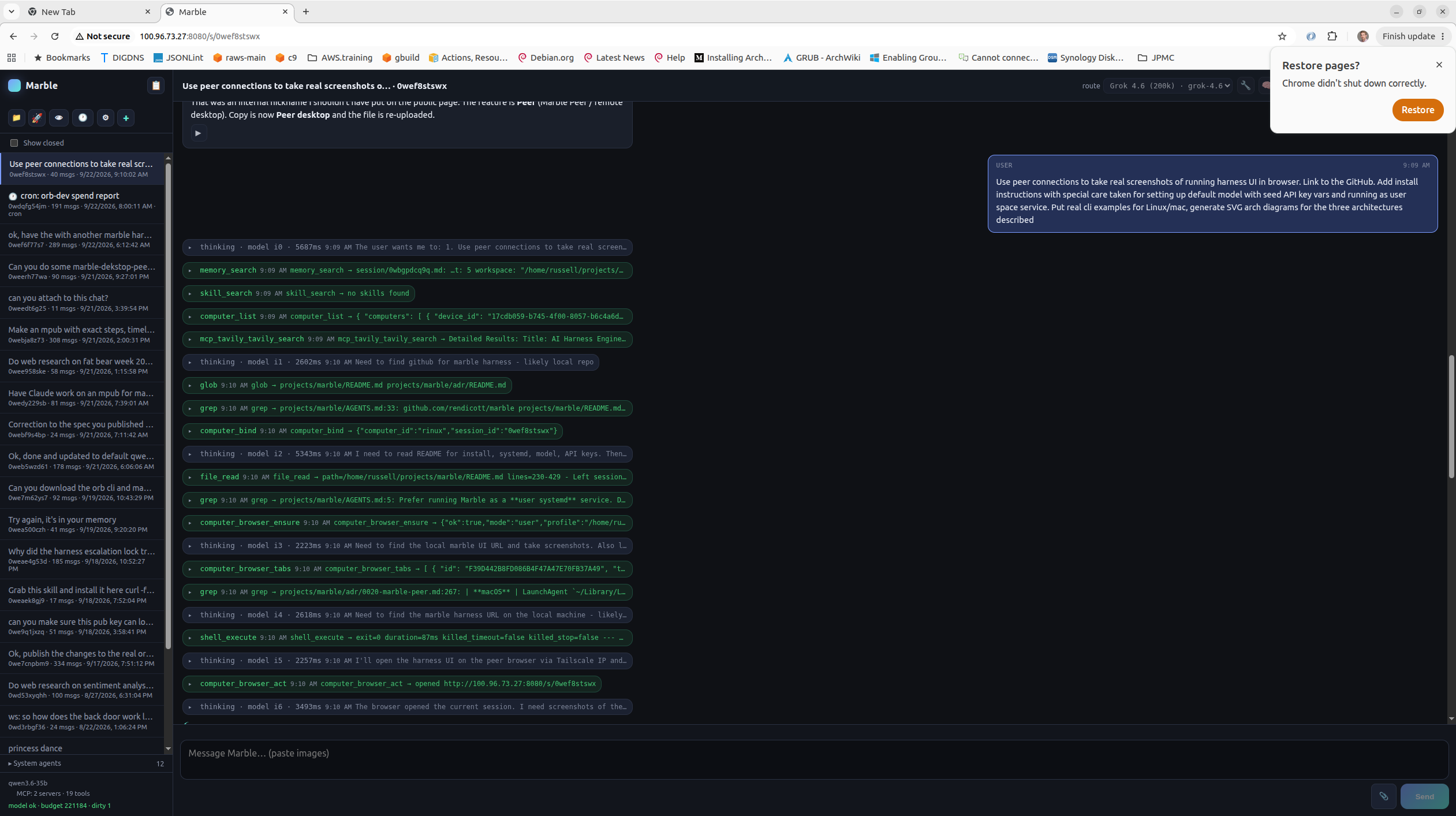
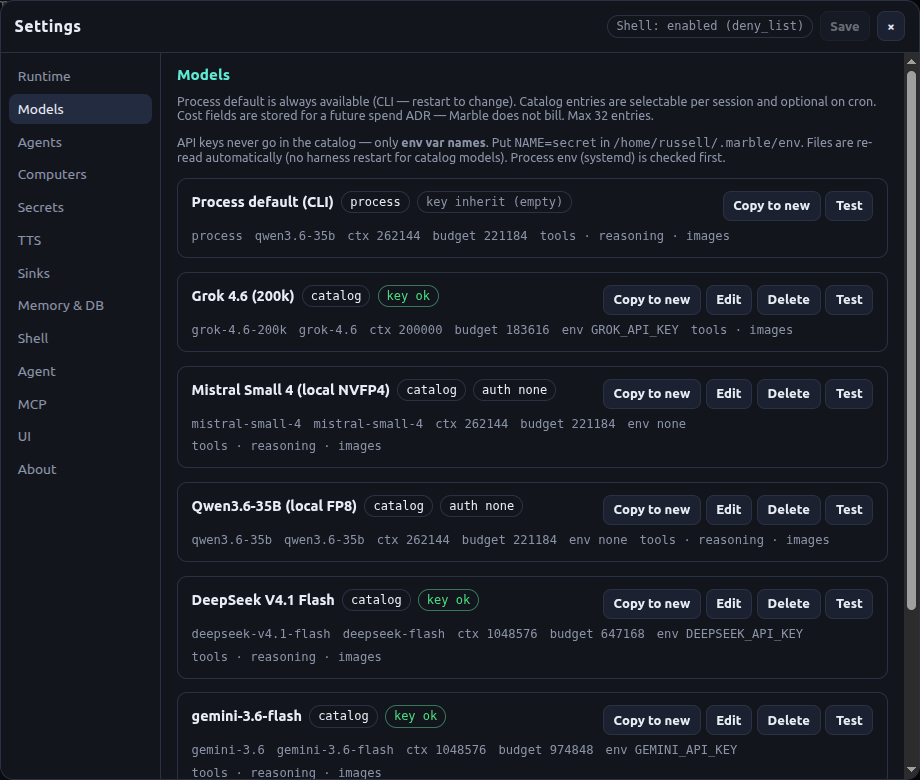
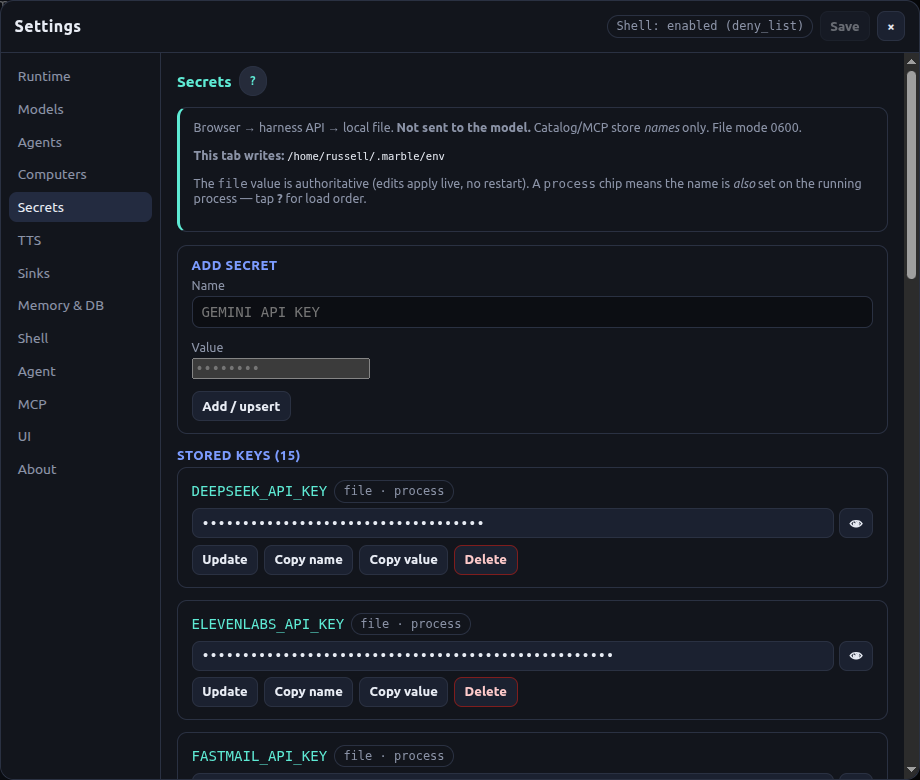
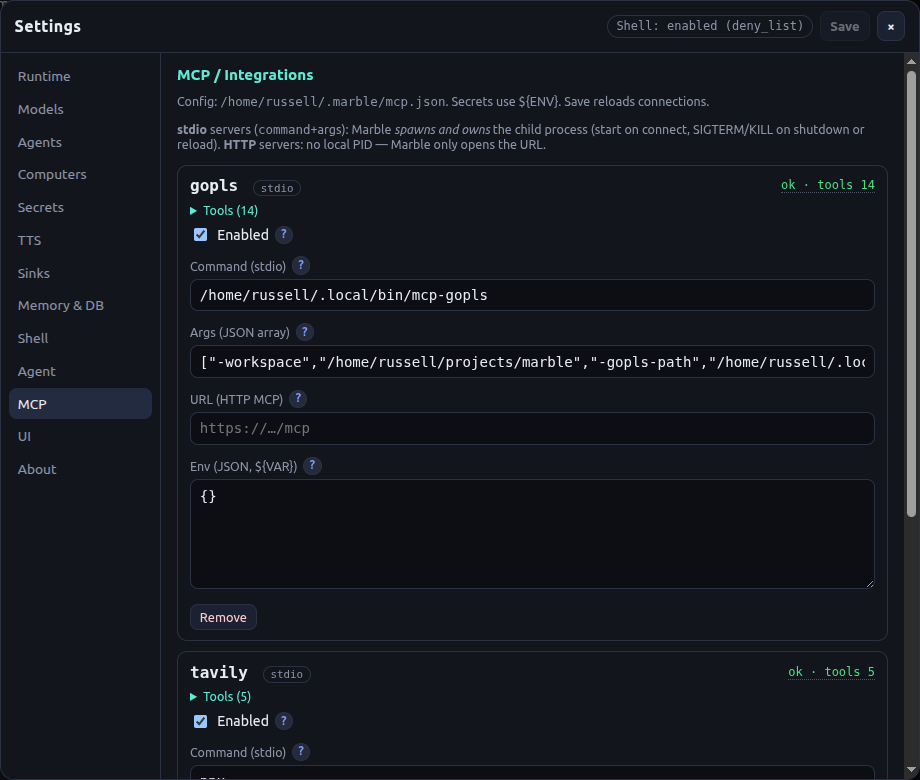

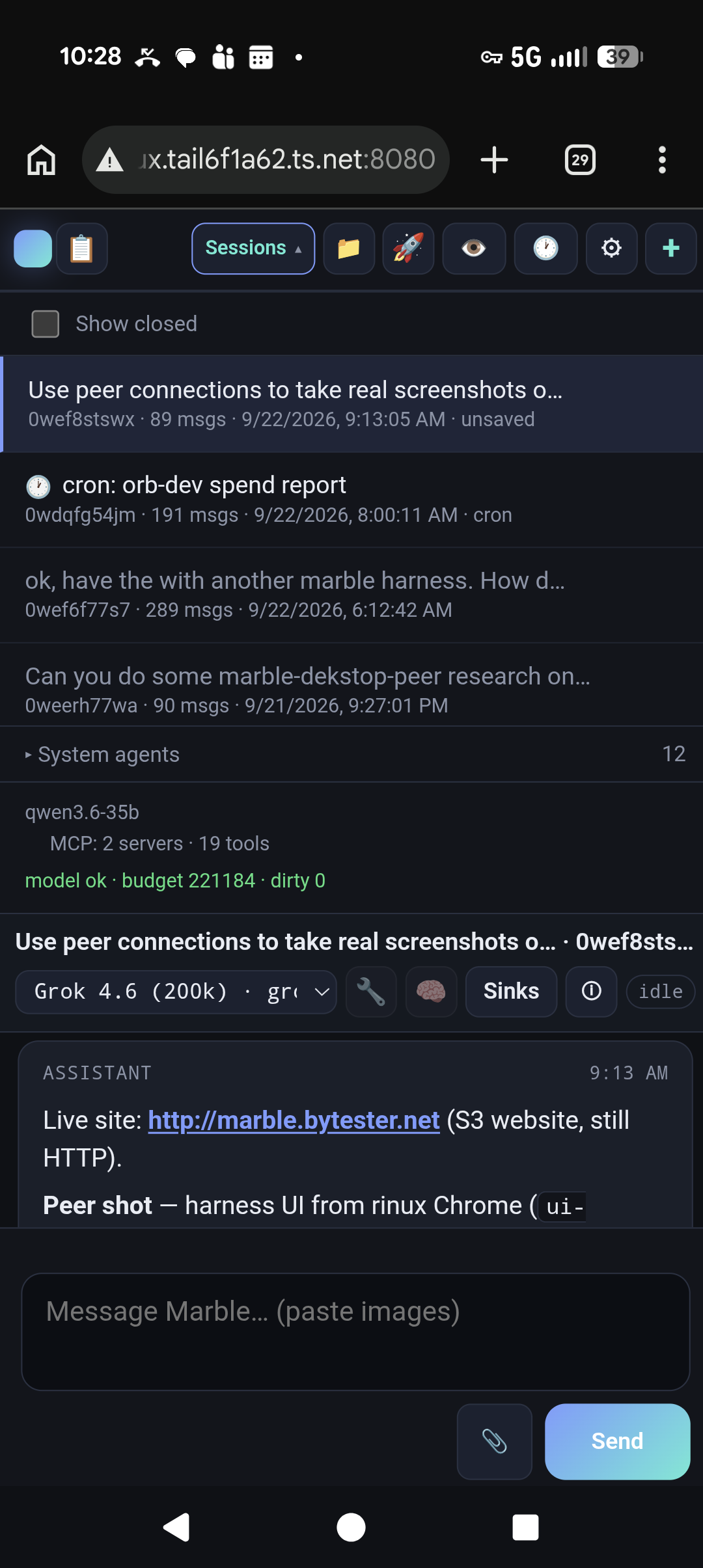
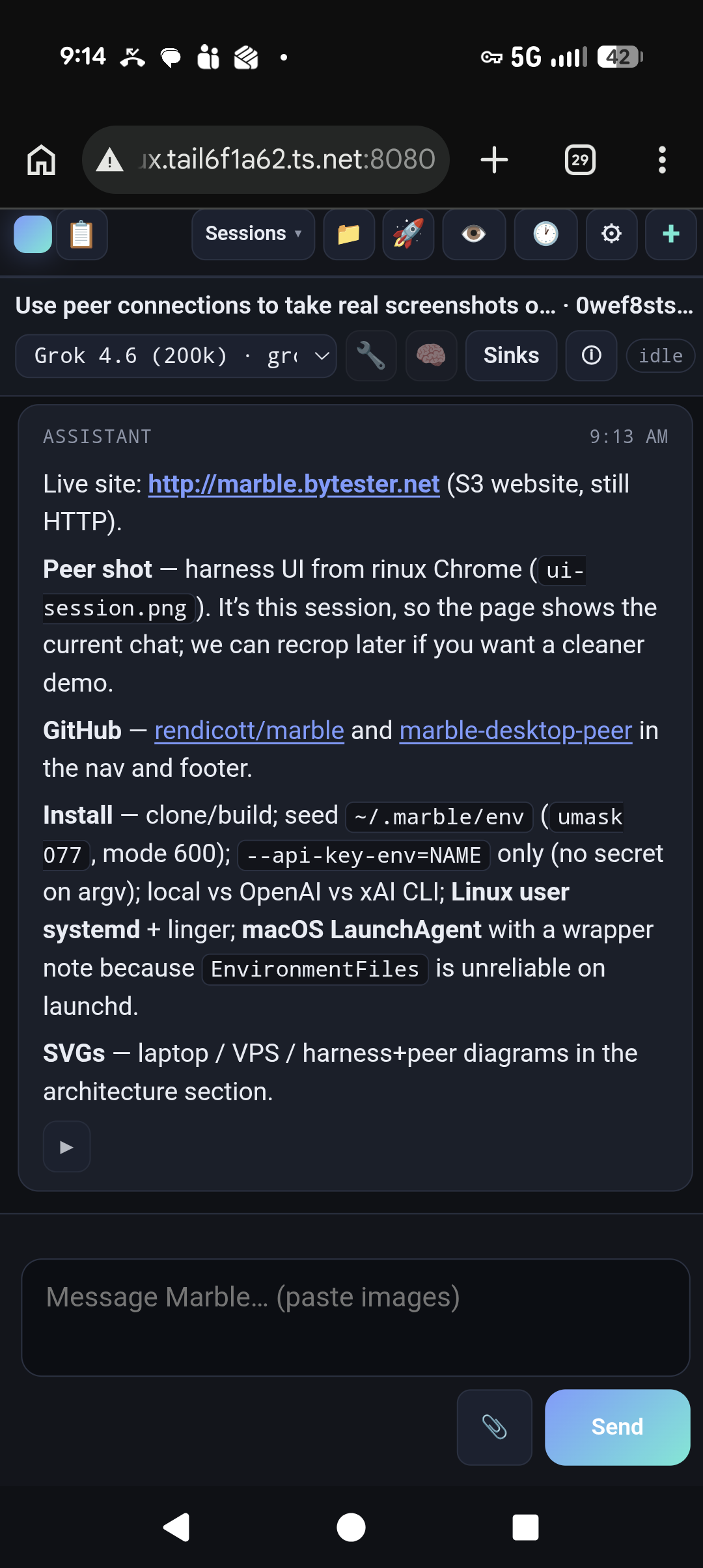
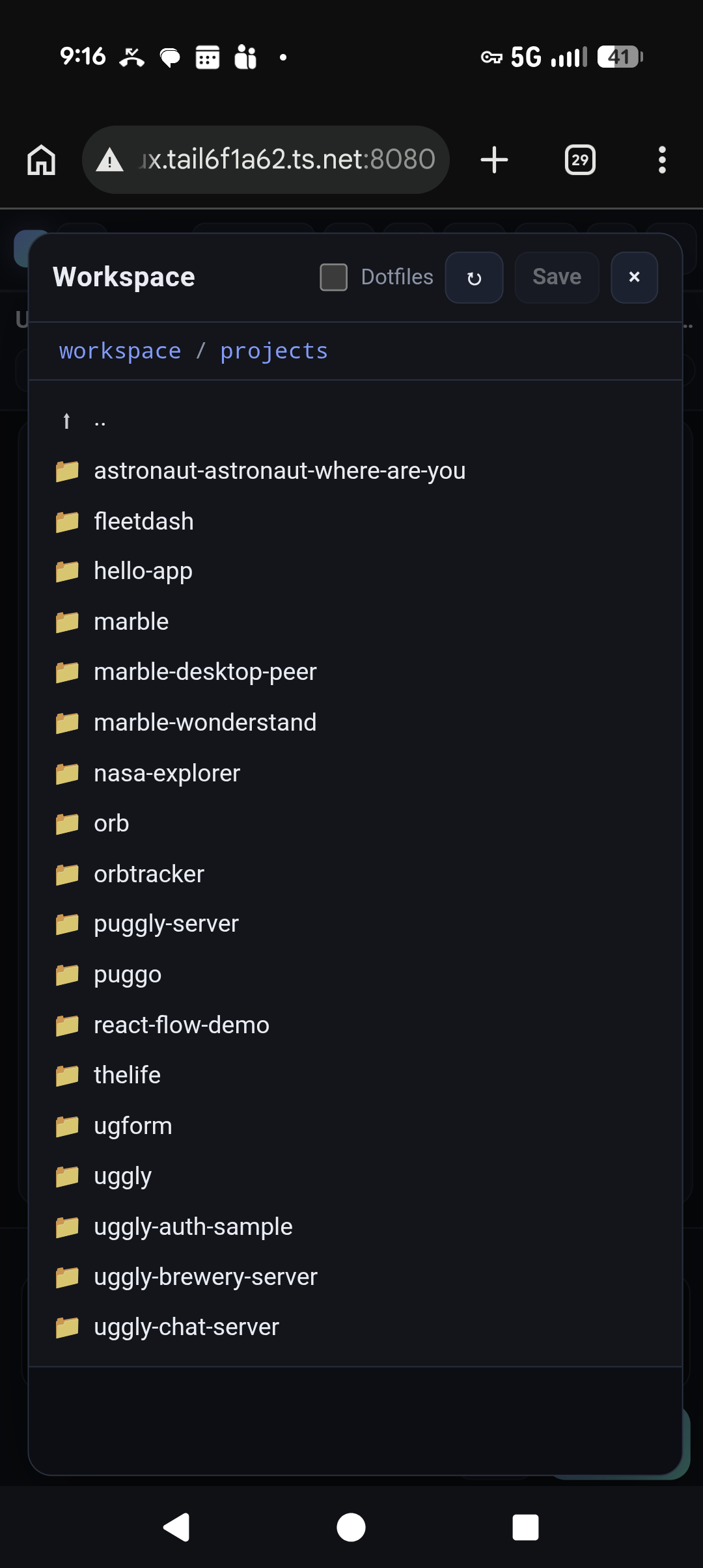
On a phone
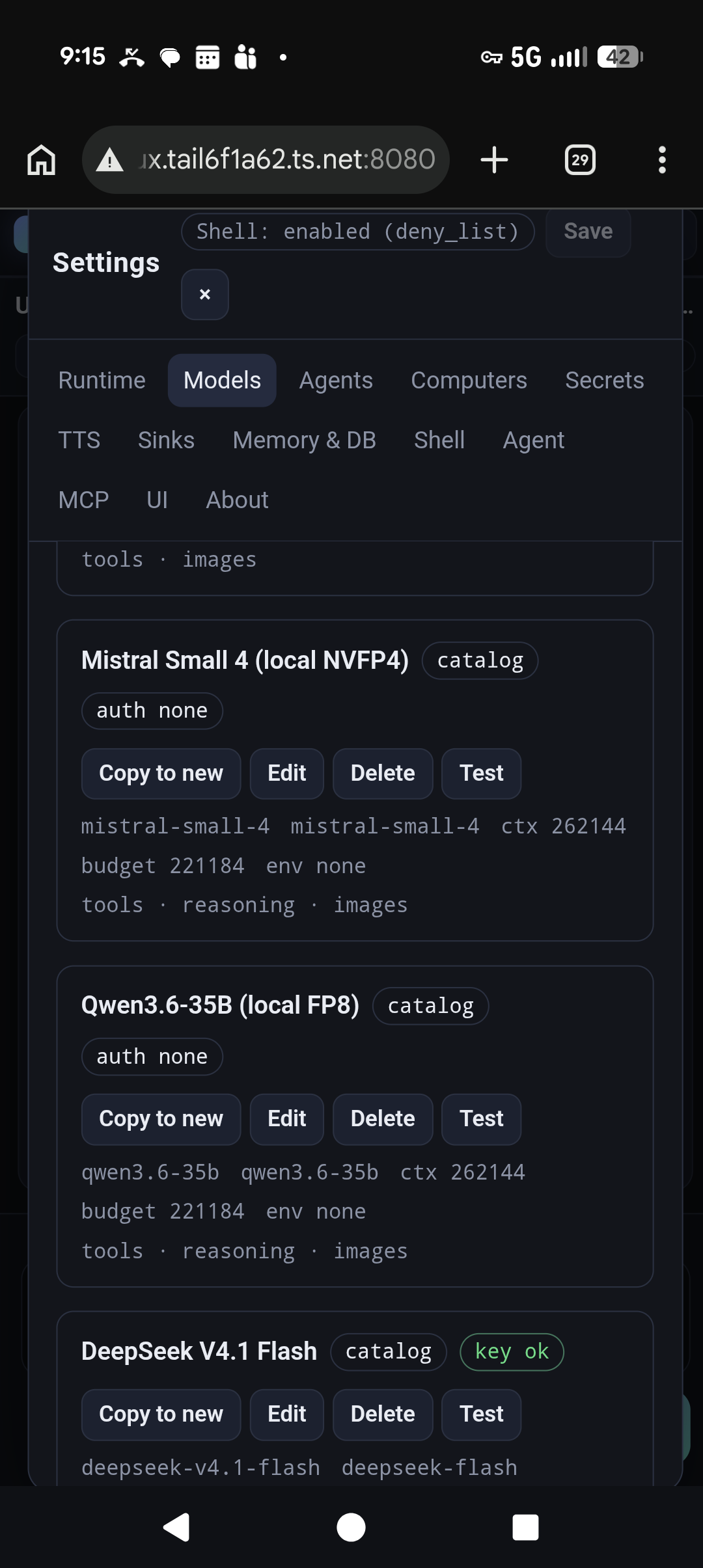
Swipe sideways — same UI over Tailscale, no app store. Click to enlarge.
What you get
- Private memory over timeSession notes, daily logs, and intentional knowledge you accumulate — similar spirit to OpenClaw, on disk you own.
- First-class mobile browserUse the harness UI from a phone without a custom app. Designed to be usable on a small screen.
- Secrets from the UIEnv-backed secret management in Settings — keys stay in
$MEMORY/env, not pasted into chats. - Local modelsPoint at OpenAI-compatible endpoints you run (llama.cpp, vLLM, Ollama, etc.). Cloud models are optional, not required.
- Text to speechVoice output when you want the agent to talk back, not only type.
- MCP toolsPlug in Model Context Protocol servers for search, language servers, and other integrations.
- Peer desktopOptional remote computer via marble-peer: screenshots, browser CDP, confirm cards for risky clicks.
- Cron, sinks, skillsRecurring jobs, turn mirrors (Slack/ntfy/Discord), and loadable playbooks.
Install
Grab a prebuilt binary from GitHub Releases (latest v0.4.6). You need an OpenAI-compatible API (/v1/chat/completions). Local models need no key. Hosted providers use an env var name on the CLI — never the secret itself. Go is only required if you want to build from source.
Download the release (Linux / macOS)
Assets: marble-harness-linux-amd64, marble-harness-linux-arm64, marble-harness-darwin-arm64, plus SHA256SUMS.
# Linux x86_64 example — pick the asset for your OS/arch
VER=v0.4.6
mkdir -p ~/.local/bin
cd /tmp
curl -fsSLO "https://github.com/rendicott/marble/releases/download/${VER}/marble-harness-linux-amd64"
curl -fsSLO "https://github.com/rendicott/marble/releases/download/${VER}/SHA256SUMS"
sha256sum -c SHA256SUMS --ignore-missing
chmod +x marble-harness-linux-amd64
mv marble-harness-linux-amd64 ~/.local/bin/marble-harness
marble-harness --version
# macOS Apple Silicon
VER=v0.4.6
mkdir -p ~/.local/bin
cd /tmp
curl -fsSLO "https://github.com/rendicott/marble/releases/download/${VER}/marble-harness-darwin-arm64"
curl -fsSLO "https://github.com/rendicott/marble/releases/download/${VER}/SHA256SUMS"
shasum -a 256 -c SHA256SUMS --ignore-missing
chmod +x marble-harness-darwin-arm64
mv marble-harness-darwin-arm64 ~/.local/bin/marble-harness
marble-harness --versionOptional desktop peer: marble-desktop-peer releases.
Default model
The process needs one default model at start (--base-url + --model). After it is running, add more models and API keys in the UI: Settings → Models and Settings → Secrets.
Local model (no key):
marble-harness \
  --workspace "$HOME" \
  --memory "$HOME/.marble" \
  --base-url http://127.0.0.1:8000/v1 \
  --model YourLocalModelId \
  --addr :8080
Hosted model (pass the name of the env var, not the key):
export OPENAI_API_KEY=sk-...   # or put it in ~/.marble/env after first run
marble-harness \
  --workspace "$HOME" \
  --memory "$HOME/.marble" \
  --base-url https://api.openai.com/v1 \
  --model gpt-4.1-mini \
  --api-key-env=OPENAI_API_KEY \
  --addr :8080
Then open http://127.0.0.1:8080/ (or the Tailscale IP).
Linux: user systemd (recommended)
One process owns $MEMORY (file lock). Prefer a user unit, not a coding-agent-owned process and not a system-wide service.
mkdir -p ~/.config/systemd/user
cat > ~/.config/systemd/user/marble-harness.service <<'EOF'
[Unit]
Description=Marble agent harness
After=network-online.target

[Service]
Type=simple
WorkingDirectory=%h
# Snapshot at start for os.Getenv consumers (OAuth, etc.).
# Settings → Secrets writes the same path; harness re-reads it live for model keys.
EnvironmentFile=-%h/.marble/env
Environment=PATH=%h/.local/bin:/usr/local/bin:/usr/bin:/bin
ExecStart=%h/.local/bin/marble-harness \
  --workspace %h \
  --memory %h/.marble \
  --base-url http://127.0.0.1:8000/v1 \
  --model YourLocalModelId \
  --addr :8080
# Cloud default model: add --api-key-env=OPENAI_API_KEY
# and change --base-url / --model. Do not put secrets on ExecStart.
Restart=on-failure
RestartSec=3
KillMode=control-group

[Install]
WantedBy=default.target
EOF

# linger so the user unit survives logout (typical on a VPS / spare laptop)
sudo loginctl enable-linger "$USER"

systemctl --user daemon-reload
systemctl --user enable --now marble-harness
systemctl --user status marble-harness
journalctl --user -u marble-harness -f
Point ExecStart at the binary you installed (here ~/.local/bin/marble-harness). After replacing the file from a newer release: systemctl --user restart marble-harness.
macOS: LaunchAgent (user space)
Same idea: user-owned process, env file for keys, no secret on the command line.
mkdir -p ~/Library/LaunchAgents
cat > ~/Library/LaunchAgents/com.rendicott.marble-harness.plist <<'EOF'
<?xml version="1.0" encoding="UTF-8"?>
<!DOCTYPE plist PUBLIC "-//Apple//DTD PLIST 1.0//EN" "http://www.apple.com/DTDs/PropertyList-1.0.dtd">
<plist version="1.0">
<dict>
  <key>Label</key>
  <string>com.rendicott.marble-harness</string>
  <key>WorkingDirectory</key>
  <string>/Users/YOU</string>
  <key>EnvironmentVariables</key>
  <dict>
    <key>PATH</key>
    <string>/usr/local/bin:/opt/homebrew/bin:/usr/bin:/bin</string>
  </dict>
  <key>EnvironmentFiles</key>
  <array>
    <string>/Users/YOU/.marble/env</string>
  </array>
  <key>ProgramArguments</key>
  <array>
    <string>/Users/YOU/.local/bin/marble-harness</string>
    <string>--workspace</string>
    <string>/Users/YOU</string>
    <string>--memory</string>
    <string>/Users/YOU/.marble</string>
    <string>--base-url</string>
    <string>http://127.0.0.1:8000/v1</string>
    <string>--model</string>
    <string>YourLocalModelId</string>
    <string>--addr</string>
    <string>:8080</string>
  </array>
  <key>RunAtLoad</key>
  <true/>
  <key>KeepAlive</key>
  <true/>
  <key>StandardOutPath</key>
  <string>/Users/YOU/.marble/harness.out.log</string>
  <key>StandardErrorPath</key>
  <string>/Users/YOU/.marble/harness.err.log</string>
</dict>
</plist>
EOF

# Replace YOU, then:
# launchctl bootstrap gui/$(id -u) ~/Library/LaunchAgents/com.rendicott.marble-harness.plist
# launchctl enable gui/$(id -u)/com.rendicott.marble-harness
# launchctl kickstart -k gui/$(id -u)/com.rendicott.marble-harness
macOS launchd does not load EnvironmentFiles on all versions. If keys are missing at start, export them in a tiny wrapper script and point ProgramArguments at that script — still keep values out of the plist. After start, Settings → Secrets is enough for catalog models.
# wrapper alternative (~/.local/bin/run-marble-harness)
#!/bin/sh
set -a
[ -f "$HOME/.marble/env" ] && . "$HOME/.marble/env"
set +a
exec "$HOME/.local/bin/marble-harness" \
  --workspace "$HOME" \
  --memory "$HOME/.marble" \
  --base-url https://api.openai.com/v1 \
  --model gpt-4.1-mini \
  --api-key-env=OPENAI_API_KEY \
  --addr :8080
Example architectures
Old laptop on Tailscale
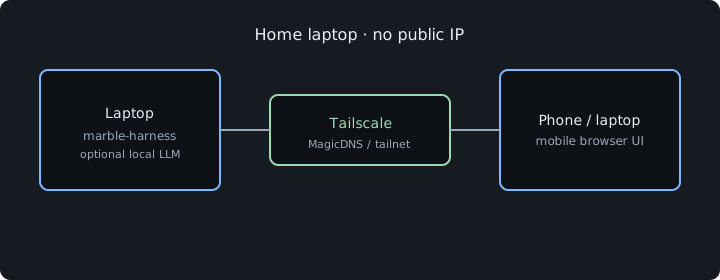
Harness + optional local LLM on a spare machine. Phone and other devices join the tailnet. Typical for home use.
VPS + Tailscale
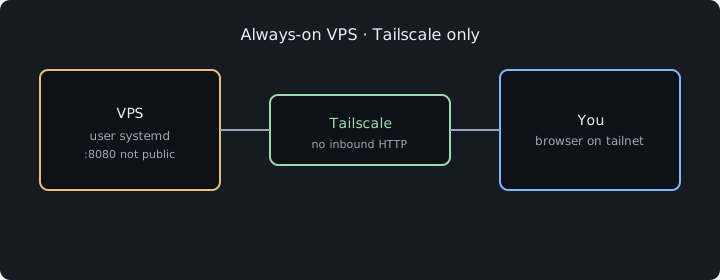
Small VPS runs the harness 24/7 as a user service. Do not expose HTTP to the public internet; access via MagicDNS.
Harness + Marble Peer
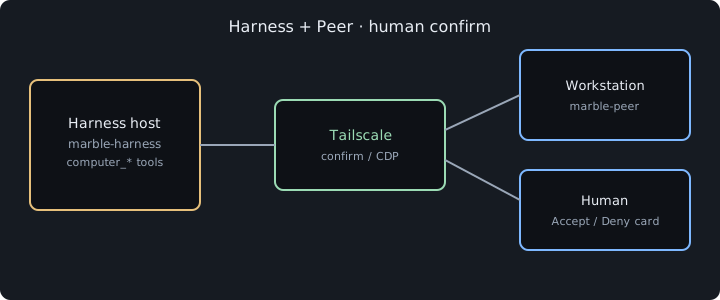
Agent on the VPS or laptop; marble-peer on a workstation for logged-in browser and OS actions, with human confirm for high-risk steps.